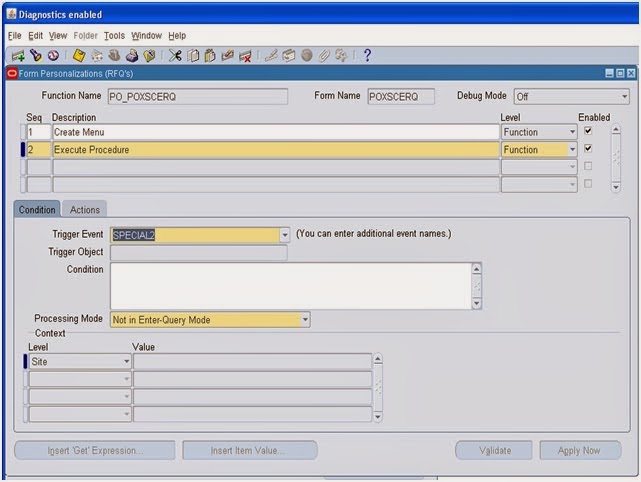
for intilizing before calling any public or private API
====================================================================
select fnd.user_id,
fresp.responsibility_id,
fresp.application_id
from
fnd_user fnd,
fnd_responsibility_tl fresp
where
fnd.user_name = 'OPERATIONS'
AND fresp.responsibility_name ='Payables, Vision Operations (USA)'
Run the following query to find out who are the Oracle Apps Users currently Logged into the application.
========================================================================================================
SELECT DISTINCT icx.session_id,
icx.user_id,
fu.user_name,
fu.description
FROM icx_sessions icx,
fnd_user fu
WHERE
disabled_flag != 'Y'
AND icx.pseudo_flag = 'N'
AND (last_connect +
DECODE (fnd_profile.VALUE ('ICX_SESSION_TIMEOUT'),
NULL, limit_time,
0 , limit_time,
fnd_profile.VALUE ('ICX_SESSION_TIMEOUT')/60) / 24) > SYSDATE
AND icx.counter < limit_connects
AND icx.user_id = fu.user_id;
Query to find all responsibilities of a user
==================================================================
SELECT fu.user_name "User Name",
frt.responsibility_name "Responsibility Name",
furg.start_date "Start Date",
furg.end_date "End Date",
fr.responsibility_key "Responsibility Key",
fa.application_short_name "Application Short Name"
FROM fnd_user_resp_groups_direct furg,
applsys.fnd_user fu,
applsys.fnd_responsibility_tl frt,
applsys.fnd_responsibility fr,
applsys.fnd_application_tl fat,
applsys.fnd_application fa
WHERE furg.user_id = fu.user_id
AND furg.responsibility_id = frt.responsibility_id
AND fr.responsibility_id = frt.responsibility_id
AND fa.application_id = fat.application_id
AND fr.application_id = fat.application_id
AND frt.language = USERENV('LANG')
AND UPPER(fu.user_name) = UPPER('sandeep') -- <change it>
ORDER BY frt.responsibility_name;
List of users who were granted particular function in oracle apps R12 db
=====================================================================================
SELECT UNIQUE u.user_id,
SUBSTR (u.user_name, 1, 30) user_name,
SUBSTR (r.responsibility_name, 1, 60) responsiblity,
SUBSTR (a.application_name, 1, 50) application
FROM
fnd_user u,
fnd_user_resp_groups g,
fnd_application_tl a,
fnd_responsibility_tl r
WHERE
g.user_id(+) = u.user_id
AND g.responsibility_application_id = a.application_id
AND a.application_id = r.application_id
AND g.responsibility_id = r.responsibility_id
AND a.application_name in ('Puchasing','Payables')
ORDER BY SUBSTR (user_name, 1, 30),
SUBSTR (a.application_name, 1, 50),
SUBSTR (r.responsibility_name, 1, 60);
Supplier Information Query for particular org_id
=================================================
select
asp.vendor_name "Supplier Name" ,
ass.vendor_site_code "site name" ,
ass.address_line1 ,
ass.country ,
person.person_last_name ,
pty_rel.primary_phone_number ,
pty_rel.email_address
FROM ap_suppliers asp ,
ap_supplier_sites_all ass ,
ap_supplier_contacts apsc ,
hz_parties person ,
hz_parties pty_rel,
hr_operating_units hou
WHERE
ass.vendor_id = asp.vendor_id
AND apsc.per_party_id = person.party_id
AND apsc.rel_party_id = pty_rel.party_id
AND ass.org_id = hou.organization_id
AND apsc.org_party_site_id = ass.party_site_id
AND asp.vendor_name = nvl(:P_SUPPLIER_NAME,asp.VENDOR_NAME)
and hou.organization_id = fnd_profile.value('org_id');
=========================================================================
SELECT NAME "WF_NAME",
DISPLAY_NAME,
CUSTOM_LEVEL
FROM
WF_ITEM_TYPES_TL
WHERE
CUSTOM_LEVEL>0
AND PROTECT_LEVEL>0
ORDER BY custom_level
=========================================================================
select distinct hbg.BUSINESS_GROUP_NAME "BGNAME",
hbg.DATE_FROM "BGST.DATE",
hbg.BUSINESS_GROUP_ID "bugid",
hl.ADDRESS_LINE_1 "DOO RAND LINE ",
hl.TOWN_OR_CITY "CITY",
hou.NAME "opuname",
hou.DATE_FROM "startdate",
gl.NAME "glname",
gl.CURRENCY_CODE "currency",
gpt.USER_PERIOD_TYPE "claender",
xep.NAME "LENAME",
ood1.ORGANIZATION_NAME "INV Name",
ood1.USER_DEFINITION_ENABLE_DATE "start date",
msi.SECONDARY_INVENTORY_NAME "sub INV name",
mil.SEGMENT1 "row",
mil.SEGMENT2 "RACK",
mil.SEGMENT3 "box"
from HRFV_BUSINESS_GROUPS hbg,
HR_LOCATIONS hl,
HR_OPERATING_UNITS hou,
GL_LEDGERS gl,
GL_PERIOD_TYPES gpt,
XLE_ENTITY_PROFILES xep,
MTL_PARAMETERS mp,
org_organization_definitions ood,
org_organization_definitions ood1,
MTL_SECONDARY_INVENTORIES msi,
MTL_ITEM_LOCATIONS mil
WHERE hbg.BUSINESS_GROUP_NAME=:BUSINESS_GROUP_NAME
and hl.LOCATION_ID=hbg.LOCATION_ID
and hou.BUSINESS_GROUP_ID=hbg.BUSINESS_GROUP_ID
and gl.LEDGER_ID=hou.SET_OF_BOOKS_ID
and gpt.PERIOD_TYPE=gl.ACCOUNTED_PERIOD_TYPE
and xep.LEGAL_ENTITY_ID=hou.DEFAULT_LEGAL_CONTEXT_ID
and ood.ORGANIZATION_ID=hbg.BUSINESS_GROUP_ID
and mp.ORGANIZATION_ID=ood.ORGANIZATION_ID
and ood1.ORGANIZATION_ID=mp.MASTER_ORGANIZATION_ID
and msi.ORGANIZATION_ID=ood.ORGANIZATION_ID;
AND mil.ORGANIZATION_ID=msi.ORGANIZATION_ID;
--and ood.ORGANIZATION_ID=ml.ORGANIZATION_ID
--and fifs.ID_FLEX_NUM=gl.CHART_OF_ACCOUNTS_ID
gcck.CONCATENATED_SEGMENTS "COA"
--fifs.ID_FLEX_CODE "COA"
gl_code_combinations_kfv gcck
--FND_ID_FLEX_STRUCTURES fifs
gcck.CHART_OF_ACCOUNTS_ID=gl.CHART_OF_ACCOUNTS_ID;
============================================================================================
SELECT hbg.BUSINESS_GROUP_NAME "BGNAME",
hbg.DATE_FROM "BGST.DATE",
hl.ADDRESS_LINE_1 "DOO RAND LINE ",
hl.TOWN_OR_CITY "CITY"
--gl.CURRENCY_CODE "CURRENCY",
--gl.NAME "LEDGERNAME"
FROM HRFV_BUSINESS_GROUPS hbg,
HR_LOCATIONS hl
--GL_LEDGERS gl,
--HR_OPERATING_UNITS hou
WHERE hbg.BUSINESS_GROUP_NAME=:BUSINESS_GROUP_NAME
AND hl.LOCATION_ID=hbg.LOCATION_ID;
--AND hou.BUSINESS_GROUP_ID=hbg.BUSINESS_GROUP_ID;
--AND gl.LEDGER_ID=hou.SET_OF_BOOKS_ID;
PARTICULAR USER INFORMATION DETAILS
======================================================================
SELECT distinct fu.USER_NAME "username",
fu.DESCRIPTION "user DESCR",
TO_CHAR(fu.START_DATE,'DD-MON-YYYY') "startdate",
TO_CHAR(nvl(fu.END_DATE,'31-DEC-2099')) "ENDINGDATE",
frt.RESPONSIBILITY_NAME "res name",
fat.APPLICATION_NAME "APP NAME",
fm.MENU_NAME "menugroupname",
fdg.DATA_GROUP_NAME "datagroupname",
frg.REQUEST_GROUP_NAME "requestgroupname",
TO_CHAR(furgd.START_DATE,'DD-MON-YYYY') "userressdate",
TO_CHAR(nvl(furgd.END_DATE,'31-DEC-2099')) "userresenddate"
FROM FND_USER fu,
FND_MENUS fm,
FND_DATA_GROUPS fdg,
FND_REQUEST_GROUPS frg,
FND_USER_RESP_GROUPS_DIRECT furgd,
FND_APPLICATION_TL fat,
FND_APPLICATION fa,
FND_RESPONSIBILITY fr,
FND_RESPONSIBILITY_TL frt
WHERE fu.USER_NAME=nvl('&username',fu.USER_NAME)
AND fu.USER_ID=furgd.USER_ID
AND frt.RESPONSIBILITY_ID=furgd.RESPONSIBILITY_ID
AND fat.APPLICATION_ID=frt.APPLICATION_ID
AND fr.RESPONSIBILITY_ID=frt.RESPONSIBILITY_ID
AND fm.MENU_ID=fr.MENU_ID
AND fdg.DATA_GROUP_ID=fr.DATA_GROUP_ID
AND frg.REQUEST_GROUP_ID=fr.REQUEST_GROUP_ID;
=======================================================================================
SELECT hl.LOCATION_CODE "LOCCODE",
hl.DESCRIPTION "DESCN",
ft.NLS_TERRITORY "COUNTRY",
hl.ADDRESS_LINE_1 "DOORNO",
hl.ADDRESS_LINE_2 "COLONY",
hl.LOC_INFORMATION16 "STATE",
hl.LOC_INFORMATION15 "DISTRIC",
hl.POSTAL_CODE "PINCODE",
CASE
WHEN hl.INACTIVE_DATE is null then
'ACTIVE'
WHEN hl.INACTIVE_DATE > sysdate then
'ACTIVE'
ELSE
'INACTIVE'
END
"ACTIVE STATUS"
FROM HR_LOCATIONS hl,
FND_TERRITORIES ft
WHERE hl.LOCATION_CODE='HR_AP'
AND ft.TERRITORY_CODE=hl.COUNTRY;
CASE & DECODE
================================================
SELECT DECODE(DEPTNO,10,'TEN',20,'TWENTY','OTHERS') DEPTNO,DNAME,LOC FROM DEPT D
SELECT
CASE
WHEN DEPTNO <=10 THEN
'TEN'
WHEN DEPTNO>= 20 THEN
'TWENTY'
ELSE
'OTHERS'
END "DEPTNO",DNAME,LOC
FROM DEPT
PARTICULAR USER HAVE RESPONSIBILTY ASSIGN OR NOT
====================================================================
select usr.user_id,
usr.user_name,
res.RESPONSIBILITY_ID,
res.RESPONSIBILITY_NAME
from
apps.FND_USER usr,
apps.FND_RESPONSIBILITY_TL res,
apps.FND_USER_RESP_GROUPS grp
where
upper(res.RESPONSIBILITY_NAME) like upper('%' || NVL('&EnterRespName', 'INV')||'%')
and upper(res.RESPONSIBILITY_NAME) NOT like '%AX%'
and upper(res.RESPONSIBILITY_NAME) NOT like '%OPM%'
and grp.responsibility_id = res.responsibility_id
and grp.user_id = usr.user_id
and user_name ='OPERATIONS'
query for various output of concurrent managers
============================================================
PROMPT Programs and Managers
PROMPT Provide various output of concurrent managers related to a specific program.
PROMPT In this case using default of Item Supply/Demand program.
SELECT
fcq.processor_application_id, fcp.concurrent_program_name,
fr.responsibility_id, fr.responsibility_key, fr.data_group_id, fr.request_group_id,
fr.application_id, fa.application_short_name,
fcq.concurrent_queue_id, fcq.CONCURRENT_QUEUE_NAME,
fcq.MIN_PROCESSES, fcq.TARGET_PROCESSES, fcq.TARGET_NODE, fcq.SLEEP_SECONDS, fcq.CONTROL_CODE, fcq.DIAGNOSTIC_LEVEL,
fcpr.*
FROM fnd_application fa,
fnd_concurrent_programs fcp,
fnd_conc_processor_programs fcpp,
fnd_responsibility fr,
fnd_concurrent_queues fcq,
fnd_concurrent_processes fcpr
WHERE fcq.processor_application_id = fcpp.processor_application_id
AND fcq.concurrent_processor_id = fcpp.concurrent_processor_id
AND fcpp.concurrent_program_id = fcp.concurrent_program_id
AND fcpp.program_application_id = fcp.application_id
AND fcp.application_id = fa.application_id
AND fcp.concurrent_program_name = NVL('&EnterProgramShortName', 'INXDSD')
AND fr.application_id = 401
AND fr.data_group_id = fcq.data_group_id
AND fcq.manager_type = '3'
AND fcpr.concurrent_queue_id = fcq.concurrent_queue_id
AND fcpr.queue_application_id = fcq.application_id
-- AND fcpr.process_status_code = 'A'
AND fcpr.instance_number = userenv('instance')
ORDER BY dbms_random.random;
the query to list concurrent program name with its parameter, values set and default value/type
==========================================================
SELECT fcpl.user_concurrent_program_name
, fcp.concurrent_program_name
, par.column_seq_num
, par.end_user_column_name
, par.form_left_prompt prompt
, par.enabled_flag
, par.required_flag
, par.display_flag
, par.flex_value_set_id
, ffvs.flex_value_set_name
, flv.meaning default_type
, par.DEFAULT_VALUE
FROM fnd_concurrent_programs fcp
, fnd_concurrent_programs_tl fcpl
, fnd_descr_flex_col_usage_vl par
, fnd_flex_value_sets ffvs
, fnd_lookup_values flv
WHERE fcp.concurrent_program_id = fcpl.concurrent_program_id
AND fcpl.user_concurrent_program_name = :conc_prg_name
AND fcpl.LANGUAGE = 'US'
AND par.descriptive_flexfield_name = '$SRS$.' || fcp.concurrent_program_name
AND ffvs.flex_value_set_id = par.flex_value_set_id
AND flv.lookup_type(+) = 'FLEX_DEFAULT_TYPE'
AND flv.lookup_code(+) = par.default_type
AND flv.LANGUAGE(+) = USERENV ('LANG')
ORDER BY par.column_seq_num
find the list of responsibilities to which the programs is attached to
==============================================================
SELECT frt.responsibility_name,
frg.request_group_name,
frgu.request_unit_type,
frgu.request_unit_id,
fcpt.user_concurrent_program_name
FROM
fnd_Responsibility fr,
fnd_responsibility_tl frt,
fnd_request_groups frg,
fnd_request_group_units frgu,
fnd_concurrent_programs_tl fcpt
WHERE frt.responsibility_id = fr.responsibility_id
AND frg.request_group_id = fr.request_group_id
AND frgu.request_group_id = frg.request_group_id
AND fcpt.concurrent_program_id = frgu.request_unit_id
AND frt.language = USERENV('LANG')
AND fcpt.language = USERENV('LANG')
AND fcpt.user_concurrent_program_name = :conc_prg_name
ORDER BY 1,2,3,4
Query to find Request Set
==========================================
SELECT frt.responsibility_name,
frg.request_group_name,
frgu.request_unit_type,
frgu.request_unit_id,
fcpt.user_request_set_name
FROM
apps.FND_RESPONSIBILITY fr,
apps.FND_RESPONSIBILITY_TL frt,
apps.FND_REQUEST_GROUPS frg,
apps.FND_REQUEST_GROUP_UNITS frgu,
apps.FND_REQUEST_SETS_TL fcpt
WHERE
frt.responsibility_id = fr.responsibility_id
AND frg.request_group_id = fr.request_group_id
AND frgu.request_group_id = frg.request_group_id
AND fcpt.request_set_id = frgu.request_unit_id
AND frt.LANGUAGE = USERENV('LANG')
AND fcpt.LANGUAGE = USERENV('LANG')
AND fcpt.user_request_set_name = :request_set_name
ORDER BY 1,2,3,4
-- Query to derive responsibility/responsibilities associated to an Application(FND) user/users
Parameters:-
1. Application(FND) User Name
2. Responsibility Name
SELECT u.user_name,
u.start_date user_start_date,
u.end_date user_end_date,
u.email_address user_email_address,
r.responsibility_name,
g.start_date resp_assign_start_date,
g.end_date resp_assign_end_date,
g.user_id,
r.responsibility_id
FROM apps.fnd_user u,
apps.fnd_user_resp_groups g,
apps.fnd_responsibility_tl r
WHERE 1 = 1
AND r.responsibility_id = g.responsibility_id
AND g.user_id = u.user_id
AND u.user_name = NVL(:p_user_name, u.user_name)
AND r.responsibility_name = NVL(:p_responsibility_name, r.responsibility_name)
ORDER BY u.user_name, r.responsibility_name DESC;
Verifying Profile Option Values
SELECT DECODE (fpov.level_id,
10001, 'Site',
10002, 'Appl',
10003, 'Resp',
10004, 'User',
'Unkown'
) "Level",
DECODE (fpov.level_id,
10002, fa.application_name,
10003, fr.responsibility_name,
10004, fu.user_name,
'-'
) "Location",
fpov.profile_option_value "Value"
FROM apps.fnd_profile_option_values fpov,
apps.fnd_profile_options fpo,
apps.fnd_profile_options_tl fpot,
apps.fnd_responsibility_tl fr,
apps.fnd_user fu,
apps.fnd_application_tl fa
WHERE fpov.profile_option_id = fpo.profile_option_id
AND fpo.profile_option_name = fpot.profile_option_name
AND fpov.level_value = fr.responsibility_id(+)
AND fpov.level_value = fu.user_id(+)
AND fpov.level_value = fa.application_id(+)
AND fpot.user_profile_option_name = '<Profile Option Name>';
Identifying XML Report Lobs
SELECT b.*
FROM apps.xdo_lobs l, apps.xdo_templates_b b
WHERE l.application_short_name = '<appl short name>'
AND l.lob_code IN ('<DATA DEFINITION SHORT CODE>')
AND l.application_short_name = b.application_short_name
AND l.lob_code = b.template_code
Setting Org Context
Setting the Multi Org Context :
METHOD 1:
begin
MO_GLOBAL.SET_POLICY_CONTEXT(ACCESS_MODE,ORG_ID);
end;
Example:
begin
MO_GLOBAL.SET_POLICY_CONTEXT('S',101);
end;
S - Denotes that the current session will work for Single Org_id (101)
M - Denotes that the current session will work for Multiple Org_id
METHOD 2:
begin
mo_global.init (<APPLICATION SHORT NAME>);
end;
Example :
begin
mo_global.init ('AR');
end;
Query :
select Application_short_name , application_name
from fnd_application fapp,
fnd_application_tl fappt
where fapp.APPLICATION_ID = fappt.application_id
and fappt.language = 'US'
and application_name = 'General Ledger'
-----------------------------------------------------------------
Setting the Application Context :
METHOD 1:
begin
fnd_global.apps_initialize(p_user_id, p_resp_id, p_resp_appl_id);
end;
Example :
begin
fnd_global.APPS_INITIALIZE(200131258,20004,51710);
end;
begin
fnd_global.APPS_INITIALIZE
(user_id => 200131258,
resp_id => 20004,
resp_appl_id => 51710
);
end;
Query to find resp_is , resp_appl_id and user_id
select responsibility_id
,application_id
,responsibility_name
from fnd_responsibility_tl
where upper(responsibility_name) IN ( upper('Receivables Manager'), upper('Application Developer' ) )
and language = 'US';
select user_id
from fnd_user
where upper(user_name) = 'SAIF';
SELECT fnd_profile.value (‘RESP_ID’) FROM dual
SELECT fnd_profile.value (‘USER_ID’) FROM dual
SELECT fnd_profile.value (‘APPLICATION_ID’) FROM dual
SELECT TO_NUMBER (FND_PROFILE.VALUE( ‘LOGIN_ID ‘)) FROM dual
SELECT FND_PROFILE.VALUE(‘ORG_ID’) FROM dual
SELECT FND_PROFILE.VALUE(‘SO_ORGANIZATION_ID’) FROM dual
SELECT FND_PROFILE.VALUE(‘USERNAME’) FROM dual
SELECT FND_PROFILE.VALUE(‘GL_SET_OF_BKS_ID’) FROM dual
METHOD 2 :
begin
dbms_application_info.set_client_info('<org id>');
end;
Example
begin
dbms_application_info.set_client_info('101');
end;
API
=========
DECLARE
uid NUMBER;
rid NUMBER;
rad NUMBER;
sgid NUMBER;
BEGIN
SELECT
USER_ID,RESPONSIBILITY_ID,RESPONSIBILITY_APPLICATION_ID,SECURITY_GROUP_ID
INTO
uid, rid, rad, sgid
FROM
FND_USER_RESP_GROUPS
WHERE
USER_ID = (SELECT USER_ID FROM FND_USER WHERE USER_NAME = 'SYSADMIN')
AND RESPONSIBILITY_ID =
(SELECT RESPONSIBILITY_ID FROM FND_RESPONSIBILITY_VL WHERE RESPONSIBILITY_KEY = 'SYSTEM_ADMINISTRATOR');
FND_GLOBAL.apps_initialize (uid, rid, rad, sgid);
ego_p4t_upgrade_pvt.upgrade_to_pim4telco(null);
END;
Key FND Tables in Oracle Application
FND_LOBS:
Table contains all the attachments which were attached by users in all the modules of E-Business Suite, since the instance was created.
FND_DOCUMENTS_LONG_RAW:
Stores images and OLE Objects, such as Word Documents and Excel spreadsheets, in the database.
FND_DOCUMENTS_LONG_TEXT:
Stores information about long text documents.
FND_DOCUMENTS_SHORT_TEXT:
Stores information about short text documents.
FND_APPLICATION:
Stores applications registered with Oracle Application Object Library.
FND_APPLICATION_TL:
Stores translated information about all the applications registered with Oracle Application Object Library.
FND_APP_SERVERS:
This table will track the servers used by the E-Business Suite system.
FND_ATTACHED_DOCUMENTS:
Stores information relating a document to an application entity.
FND_CONCURRENT_PROCESSES:
Stores information about concurrent managers.
FND_CONCURRENT_PROCESSORS:
Stores information about immediate (subroutine) concurrent program libraries.
FND_CONCURRENT_PROGRAMS:
Stores information about concurrent programs. Each row includes a name and description of the concurrent program.
FND_CONCURRENT_PROGRAMS_TL:
Stores translated information about concurrent programs in each of the installed languages.
FND_CONCURRENT_QUEUES:
Stores information about concurrent managers.
FND_CONCURRENT_QUEUE_SIZE:
Stores information about the number of requests a concurrent manager can process at once, according to its work shift.
FND_CONCURRENT_REQUESTS:
Stores information about individual concurrent requests.
FND_CONCURRENT_REQUEST_CLASS:
Stores information about concurrent request types.
FND_CONC_REQ_OUTPUTS:
This table stores output files created by Concurrent Request.
FND_CURRENCIES:
Stores information about currencies.
FND_DATABASES:
It tracks the databases employed by the eBusiness suite. This table stores information about the database that is not instance specific.
FND_DATABASE_INSTANCES:
Stores instance specific information. Every database has one or more instance.
FND_DESCRIPTIVE_FLEXS:
Stores setup information about descriptive flexfields.
FND_DESCRIPTIVE_FLEXS_TL:
Stores translated setup information about descriptive flexfields.
FND_DOCUMENTS:
Stores language-independent information about a document.
FND_EXECUTABLES:
Stores information about concurrent program executables.
FND_FLEX_VALUES:
Stores valid values for key and descriptive flexfield segments.
FND_FLEX_VALUE_SETS:
Stores information about the value sets used by both key and descriptive flexfields.
FND_LANGUAGES:
Stores information regarding languages and dialects.
FND_MENUS:
It lists the menus that appear in the Navigate Window, as determined by the System Administrator when defining responsibilities for function security.
FND_MENUS_TL:
Stores translated information about the menus in FND_MENUS.
FND_MENU_ENTRIES:
Stores information about individual entries in the menus in FND_MENUS.
FND_PROFILE_OPTIONS:
Stores information about user profile options.
FND_REQUEST_GROUPS:
Stores information about report security groups.
FND_REQUEST_SETS:
Stores information about report sets.
FND_RESPONSIBILITY:
Stores information about responsibilities. Each row includes the name and description of the responsibility, the application it belongs to, and values that identify the main menu, and the first form that it uses.
FND_RESPONSIBILITY_TL:
Stores translated information about responsibilities.
FND_RESP_FUNCTIONS:
Stores security exclusion rules for function security menus. Security exclusion rules are lists of functions and menus inaccessible to a particular responsibility.
FND_SECURITY_GROUPS:
Stores information about security groups used to partition data in a Service Bureau architecture.
FND_SEQUENCES:
Stores information about the registered sequences in your applications.
FND_TABLES:
Stores information about the registered tables in your applications.
FND_VIEWS:
Stores information about the registered views in your applications.
FND_TERRITORIES:
Stores information for countries, alternatively known as territories.
FND_USER:
Stores information about application users.
====================================================
Key Metadata Tables/Views In Oracle Applications
The following are some views a PL/SQL developer is most likely to find useful:
USER_DEPENDENCIES
Stores the dependencies to and from the objects a current user owns. This view is mostly used by Oracle to mark objects INVALID when necessary, and also by IDEs to display the dependency information in their object browsers.
USER_ERRORS
Stores the current set of errors for all stored objects a current user owns. This view is accessed by the SHOW ERRORS SQL*Plus command.
USER_OBJECTS
Displays the objects owned by the current user. You can, for instance, use this view to see if an object is marked INVALID, find all the packages that have “DEPT” in their names, etc.
USER_OBJECT_SIZE
Displays the size of the objects owned by the current user. Actually, this view will show you the source, parsed, and compile sizes for your code. Use it to identify the large programs in your environment, good candidates for pinning into the SGA.
USER_PLSQL_OBJECT_SETTINGS
(Introduced in Oracle Database 10g Release 1) Shows Information about the characteristics of a PL/SQL object that can be modified through the ALTER and SET DDL commands, such as the optimization level, debug settings, and more.
USER_PROCEDURES
(Introduced in Oracle9i Database Release 1) Shows Information about stored programs, such as the AUTHID setting, whether the program was defined as DETERMINISTIC, and so on.
USER_SOURCE
Shows the text source code for all objects you own (in Oracle9i Database and above, including database triggers and Java source). This is a very handy view, because you can run all sorts of analysis of the source code against it using SQL and, in particular, Oracle Text.
USER_ARGUMENTS
Shows the arguments (parameters) in all the procedures and functions in your schema.
USER_TRIGGERS and USER_TRIG_COLUMNS
Displays the database triggers owned by current user, and any columns identified with the triggers. You can write programs against this view to enable or disable triggers for a particular table.
====================================================